 TidyZero
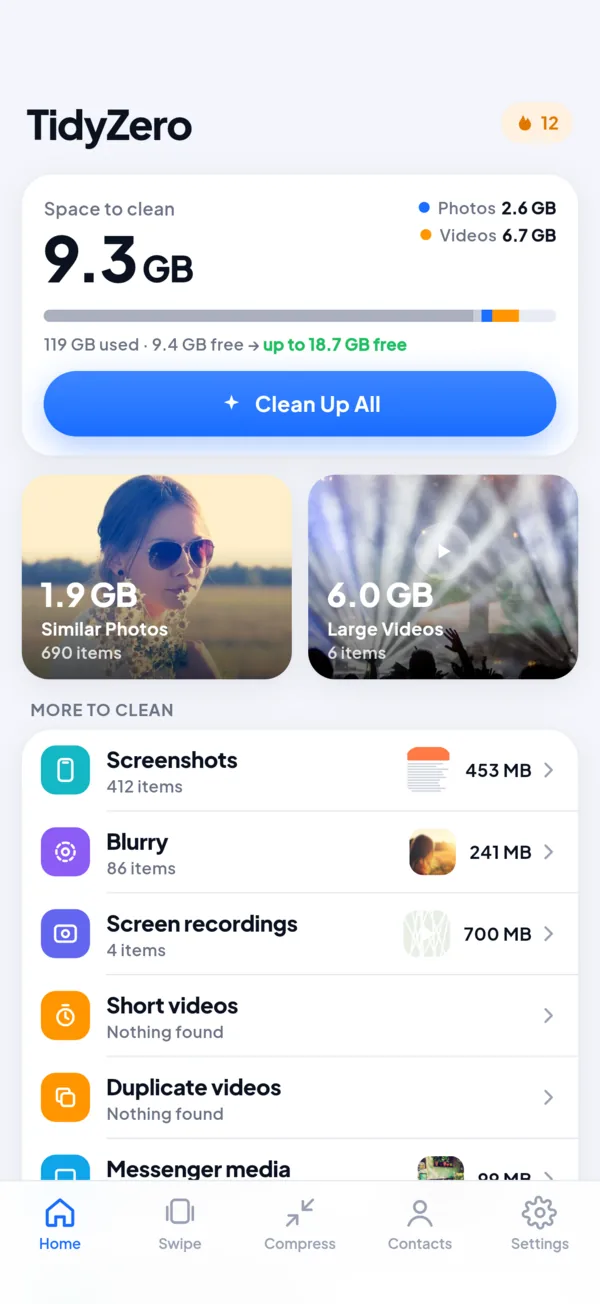
Three steps, no surprises
Scan on your phone
TidyZero looks through your library on the device. Nothing is uploaded, and the scan is free.
See the best shot
In every group of similar photos one is marked Best with the reason: sharpest, best light or highest resolution.
Delete with the system dialog
Your phone asks before anything goes. Deleted items wait in Recently Deleted or Trash for 30 days.
Everything that fills your phone
Space is counted the way Settings counts it, so the number you free is the number you get back.
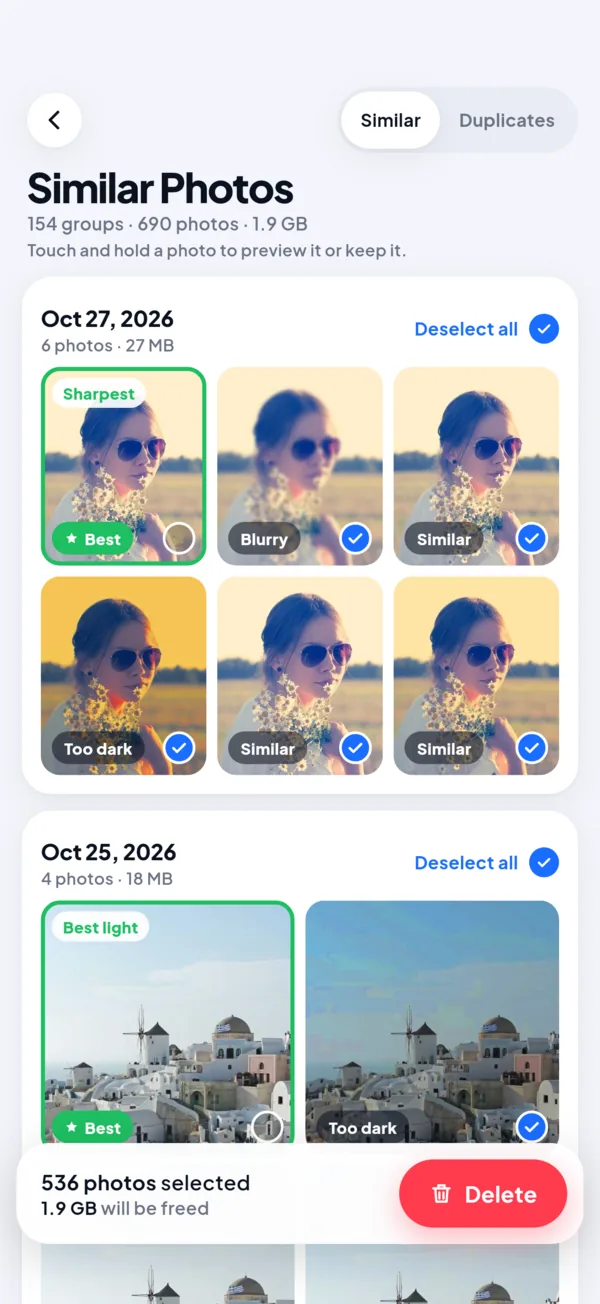
Keeps the best shot and shows why
Bursts, retakes and copies are grouped together. TidyZero keeps the strongest frame and tells you what made it win. Don’t agree? Tap another photo to keep it instead.
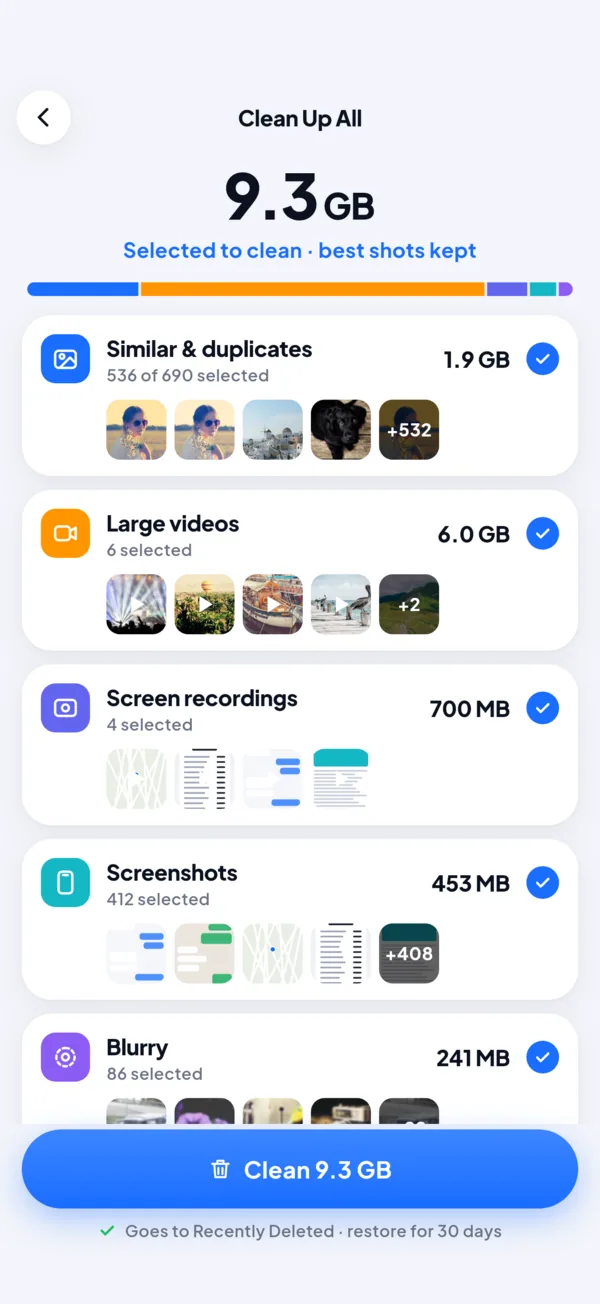
One plan for the whole phone
Similar shots, large videos, screenshots, screen recordings and blurry photos in one list. Review it, untick what you want to keep, and clean in a single tap.
- Best shots are always kept
- Every category can be opened and checked
- Goes to Recently Deleted, restore for 30 days
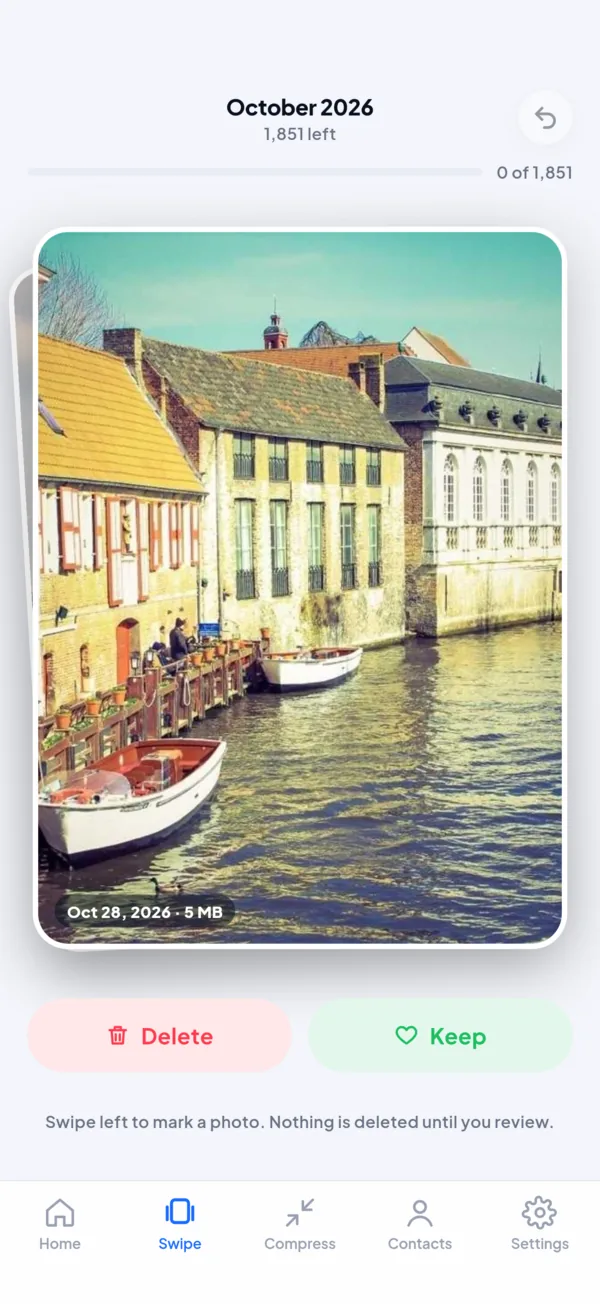
Go through your camera roll, a month at a time
Swipe left to mark, right to keep. Nothing is deleted until you review the marked photos, and your place is saved if you stop halfway.
- Undo any swipe
- On This Day brings back old memories
- Free, with no limit
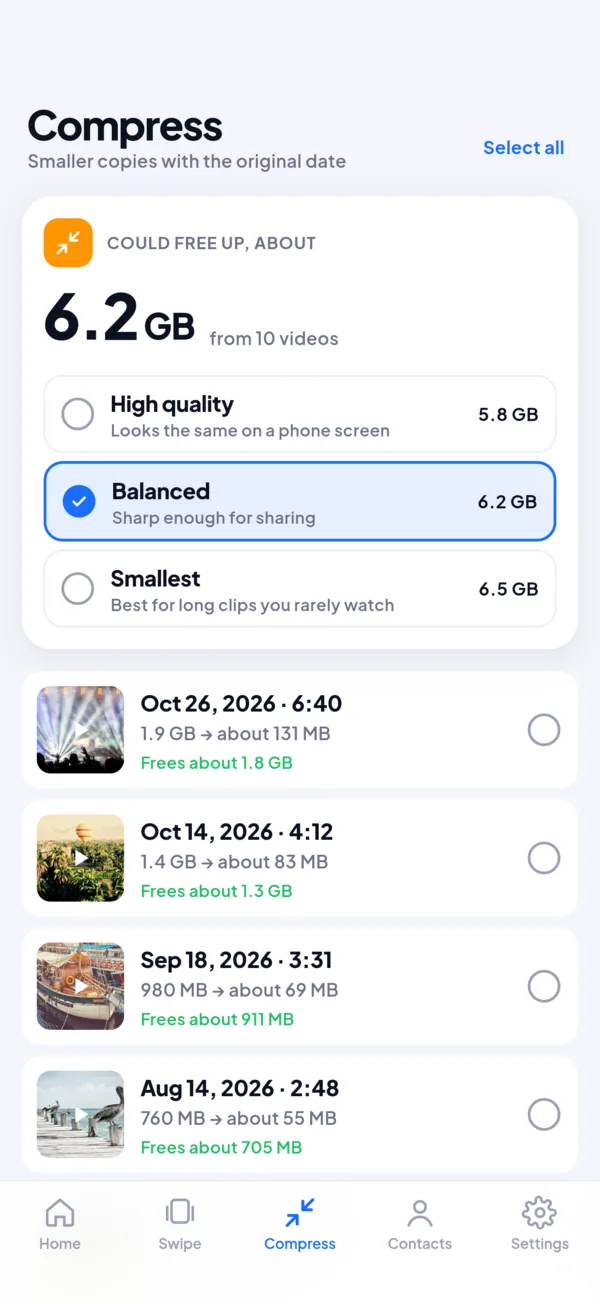
Keep the video, lose the gigabytes
Choose a quality and TidyZero saves a smaller copy with the original date. You decide whether the original goes.
- See the saving before you start
- High quality looks the same on a phone screen
- Large videos and screen recordings sorted by size
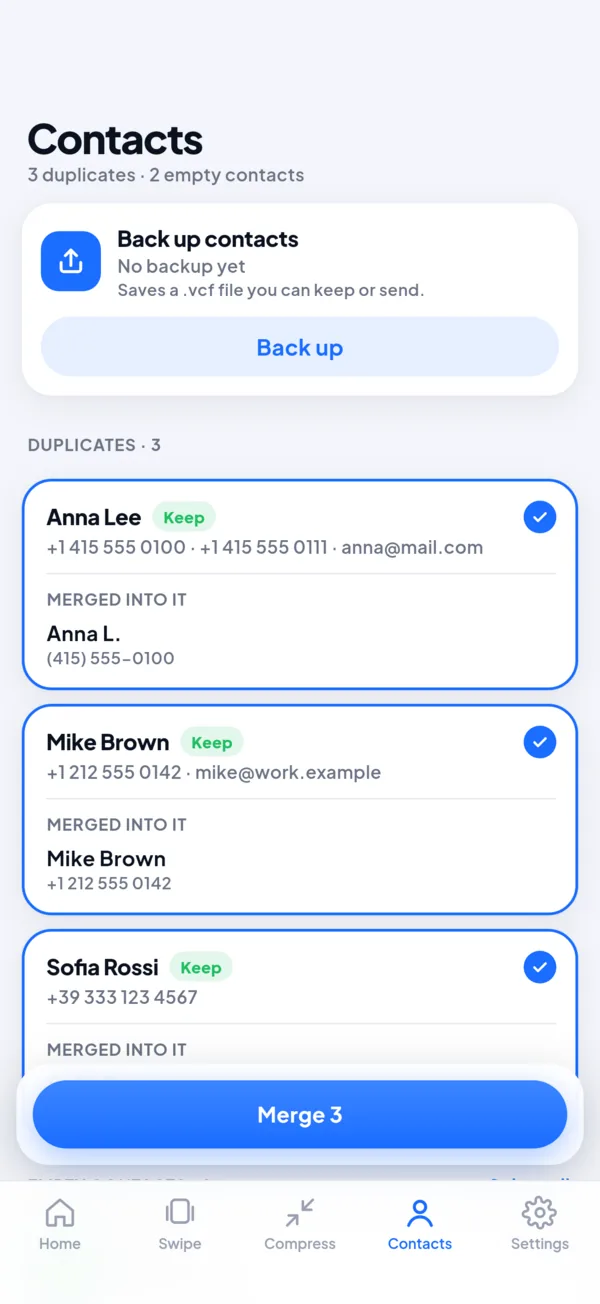
Merge duplicate contacts
Find contacts saved twice and contacts with no name or number. Back up your whole address book to a file before you change anything.
- Shows exactly what each merge keeps
- Backup as a .vcf file you can keep or send
Small things that add up
Screenshots
Old screenshots and screen recordings, newest first.
Blurry and dark
Shaky and underexposed shots you never meant to keep.
Large and short videos
Big clips by size, and accidental two-second videos.
Private Vault PRO
Move photos behind Face ID or fingerprint and a PIN.
Old calendar events
Past one-off events. Meetings with guests, birthdays and holidays are left alone.
Progress
How much space you have freed, a daily streak and badges.
Home screen widget
Space to clean at a glance on Android, one tap to start.
Live Photos PRO
On iPhone, turn Live Photos into still photos and keep the date.
What a cleaner should be
People told us what they dislike about phone cleaners. We built TidyZero the other way round.
No weekly subscriptions
Yearly, monthly or once. The price is shown before you start a trial.
A reminder before the trial ends
If you allow it, we send one notification two days before you would be charged.
Deleting works for free
The scan is free, and so are 10 deletions every day. You see real results before you pay.
Real numbers only
Every gigabyte comes from your phone. No made-up alerts, no scary warnings.
Your photos stay on your phone
No account and no ads. Analysis runs on the device.
Nothing goes without asking
Every deletion goes through the system dialog and can be undone for 30 days.
Try it free. Pay only if it helps.
Free
- Full scan
- 10 deletions a day
- Swipe, Progress, contacts backup
Pro Yearly
- No daily limit
- Clean Up All
- Merge contacts, Compress, Vault
Pro Monthly
- Everything in Pro
- No trial, no commitment
Pro Lifetime
- Everything in Pro
- No subscription
US prices. Your store shows the price in your currency before you buy. Cancel in App Store or Google Play settings.
Questions
Are my photos uploaded anywhere?
No. TidyZero analyses your library on the phone. Photos, thumbnails and results never leave the device, and there is no account.
Can I get a deleted photo back?
Yes, for 30 days. On iPhone deleted items go to Recently Deleted in Photos, on Android 11 and newer to the Trash of your gallery app. Android 8 to 10 have no Trash, and TidyZero says so before you delete.
How does it choose the best shot?
It compares the photos in a group by sharpness, exposure and resolution and keeps the winner. The reason is shown on the photo. You can always pick another one to keep.
What is free and what needs Pro?
Scanning, Swipe, Progress, contacts backup and old calendar events are free. The free plan deletes up to 10 items a day. Pro removes the limit and adds Clean Up All, merging contacts, video compression, Private Vault and, on iPhone, Live Photo conversion.
How do I cancel?
On iPhone: Settings → your name → Subscriptions. On Android: Google Play → Profile → Payments and subscriptions. Deleting the app does not cancel a subscription. On a new phone use Restore purchases in TidyZero Settings.
Does it clean the cache of other apps or speed up the phone?
No. Neither iPhone nor modern Android lets one app do that, and we don’t pretend otherwise. TidyZero frees space taken by your photos, videos and contacts.

Questions or feedback?
Write to support@tidyzero.online. We answer within two business days.